
David Akin's Roundup: Carney's shift. New LNG. Newsmax v Fox.
FRI SEP 5

Canada
As Trump talks grind on, Carney shifts focus to economy and jobs
Canadian Prime Minister Mark Carney and his cabinet have finished two days of meetings to sort out the federal government's priorities ahead of Parliament's resumption. But Carney's Liberal government appears to be shifting its focus from trade talks with the White House. Global’s David Akin explains how Carney’s cabinet is prioritizing boosting Canada's economy and creating more jobs. | Global National
LNG Developer Announces $15B Project Off Newfoundland, Says Carney Policy Changes Made It Happen
“Prime Minister Carney has now started a momentum, started a movement, almost, to build a country,” Kataria added. “I hope he sticks to it, because there are a lot of people like us who committing to put their life and energy and money into building projects in Canada.” The Fermeuse Energy development would include a 380-kilometre pipeline to carry gas from the Jeanne d’Arc Basin east of St. John’s to a liquefaction facility in Fermeuse, about 90 kilometres south of the city. Kind of a dream headling for a any government. And a reminder that the headlines and excerpts here are written by the publishers of the item, not me! | Energy Mix
Youth unemployment is now at level seen ‘during a recession,’ report shows
The report says Canada’s youth unemployment has worsened since 2022, with overall youth unemployment rising from 10 per cent in 2022 to 14 per cent in mid-2025 Nearly one in five Canadian teens want to work but cannot find any jobs, the report noted. | Globalnews.ca
Carney sending MP Blois to China to help Saskatchewan push back on canola tariffs
Saskatchewan Premier Scott Moe is leading a trade mission to China that starts Saturday, and Carney's office says Nova Scotia MP Kody Blois will join the three-day trip to "engage constructively with Chinese officials." China hit Canadian canola seed with a 75.8 per cent tariff last month, a measure widely seen as a response to Canada's 100 per cent tariff on Chinese electric vehicles. | CP
Prime Minister Mark Carney honours John Candy, takes swipe at Trump to open TIFF's 50th edition
TIFF is "a testament to part of what makes Canada unique," said Carney, who's been in Toronto this week for a Liberal cabinet retreat. He went on to pay tribute to Candy, saying the film reflected important Canadian values like "tolerance, generosity and humility." He noted that in many of Candy’s movies, the comic played characters who confronted their bullies. | CP
Countering foreign disinformation: Building a resilient Canadian democracy through stronger education and regulation
…. we argue that while Ottawa already deploys tactics to counter disinformation, it could do more by implementing two tested strategies: working with provincial, territorial and Indigenous governments to integrate media literacy within education curriculums, and implementing stronger regulation of social media platforms responsible for circulating disinformation. | International Journal
Minister of Energy and Natural Resources Briefing Package – May 2025
The Canadian Nuclear Safety Commission (CNSC) is looking for the Minister’s support on the following priority files … Here is the ministerial briefing package prepared for MP Tim Hodgson as he took up his role after the last election. | Canadian Nuclear Safety Commission
The Provinces
New Brunswick elections agency says major challenges threaten free and fair voting
New Brunswick's elections agency is warning that it has an outdated management system and faces other challenges that threaten its ability to run a free and fair vote. Aside from concerns about outdated systems, the agency also noted the need for more stringent rules to protect voter privacy and warned about the rise in foreign and domestic disinformation campaigns. | CP
Départ d’Andrée Laforest | Une odeur de « fin de régime » à Québec, disent les partis d’opposition
Le départ de la ministre Andrée Laforest laisse planer une odeur de « fin de régime » sur la CAQ, disent les partis d’opposition, qui critiquent la décision de François Legault de mettre le Parlement sur pause en raison de considérations partisanes. | La Presse
Code of conduct investigation launched against Halifax Mayor Andy Fillmore
“As an average citizen, it’s pretty hard to keep track of everything that’s happening at any level of government … So for our elected officials to be really misleading the public about what’s going on and how things work, I think is very problematic,” she said. | Globalnews.ca

Elsewhere
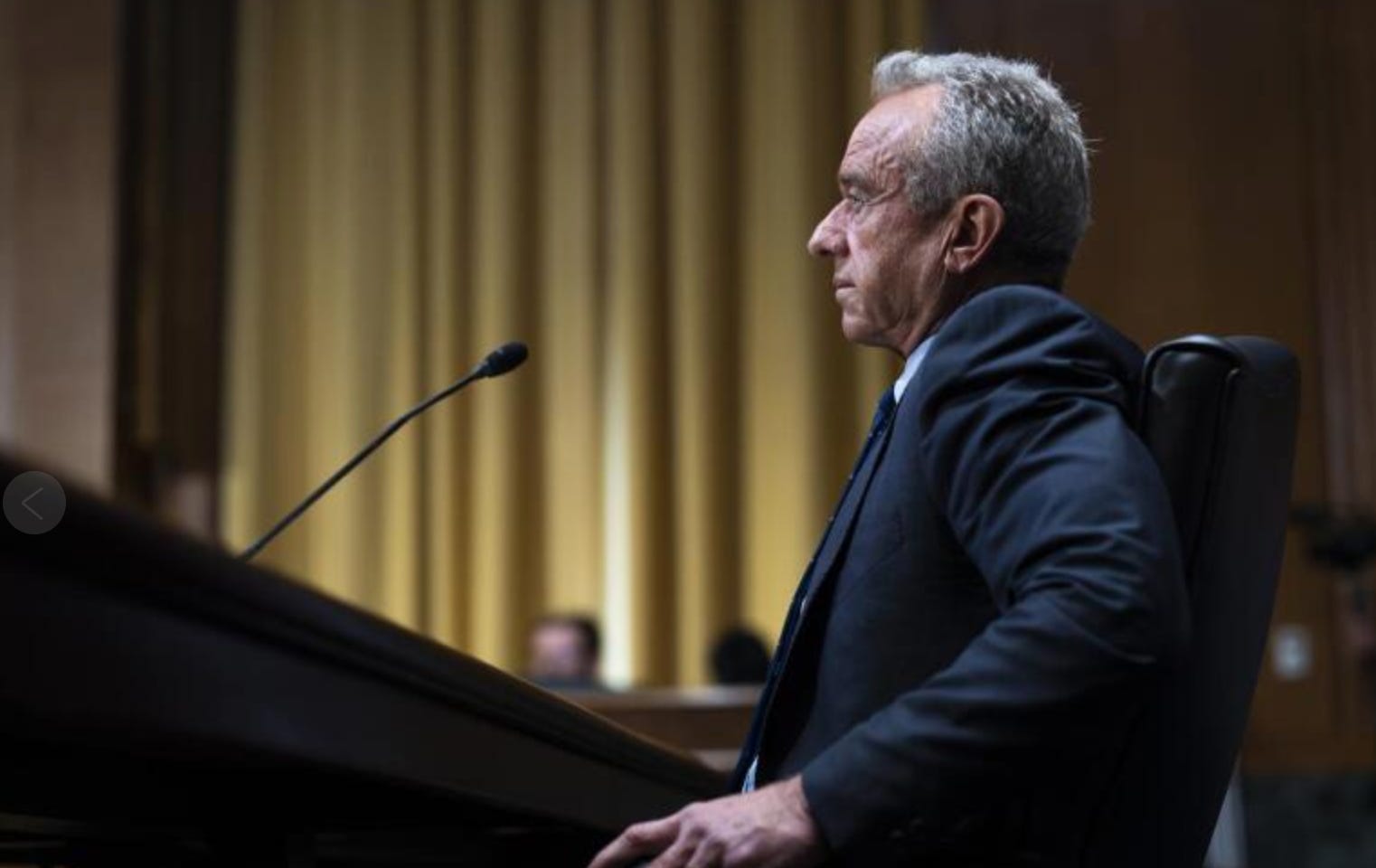
RFK Jr.'s vaccine views clash with Trump's Operation Warp Speed legacy
An odd dichotomy: One of Trump’s most universal successes in his first term remains Operation Warp Speed, yet his handpicked health chief and a growing cadre of Trump’s “Make America Great Again” supporters are distrustful of the very mRNA vaccine technology that the president has championed. | AP News
Can ASEAN Truly Remain Neutral Between the US and China?
ASEAN is currently China’s largest economic partner, yet the region has also been among the most affected by the tariff regime under Trump. The United States now levies import duties of 19 percent on goods from Thailand, Indonesia, the Philippines, and Cambodia, 20 percent on Vietnam, and 25 percent on Brunei. Laos and Myanmar face the highest rates in Southeast Asia – 40 percent – second only to Syria’s global peak of 41 percent. What do these developments tell us about whether Anwar’s proclaimed “policy of nonalignment” for ASEAN has indeed become a firmly established principle, or remains, in practice, a matter of diplomatic rhetoric? | The Diplomat
Media
Newsmax Sues Fox News for Having a 'Monopoly' on Right-Wing News
“Fox Corporation has long engaged in an exclusionary scheme to increase and maintain its dominance in the market for U.S. right-leaning pay TV news, resulting in suppression of competition in that market that harms consumers, competition, and Newsmax Broadcasting,” the broadcaster’s complaint states. | Gizmodo
[Press release] Award-Winning Journalist Carolyn Jarvis Joins CTV News Channel as Anchor
Jarvis anchors weekdays beginning at 3 p.m. ET on CTV News Channel, keeping Canadian viewers informed with national and international headlines, in-depth interviews with newsmakers, and more. She also leads an all-new weekday program wrapping up the day’s biggest stories at 6 p.m. ET on CTV News Channel. Good luck to Carolyn as she leaves our organization and joins CTV. | CTV
Science and Technology
Before You Fly Abroad, Secure Your Phone Against Border Checks
Traveling into or out of the US? Customs and Border Protection searches are at an all-time high, and agents may have the right to search your device. Here's how to prepare. | PCMag
Five Ways to Type Faster on Your Phone
there are more ways to do this than you might think—from hidden keyboard shortcuts to whole new approaches to typing out text. Try out one or more of these methods and you should be able to carve out more time to spend away from your phone screen (or to compose even more messages on your mobile). | Lifehacker
The Calendar
0830 ET : House of Commons, - Speaker Francis Scarpaleggia hosts a meeting of global legislature presiding officers.
1000 ET : Sudbury, ON - LPC MP Viviane Lapointe makes a funding announcement
1100 ET : Thunder Bay, ON - LPC MP Marcus Powlowski makes a funding announcement
1100 ET : Mississauga, ON - PM Carney speaks about Canada's strategic sectors.
1300 ET : Whitehorse, - LPC MP Brendan Hanley makes an infrastructure funding announcement.
Issued this day …
… in 1986. Sc 1109a se-tenant pair. Peacemakers of the Prairies. Design: Jean Morin and Wanda Lewicka.
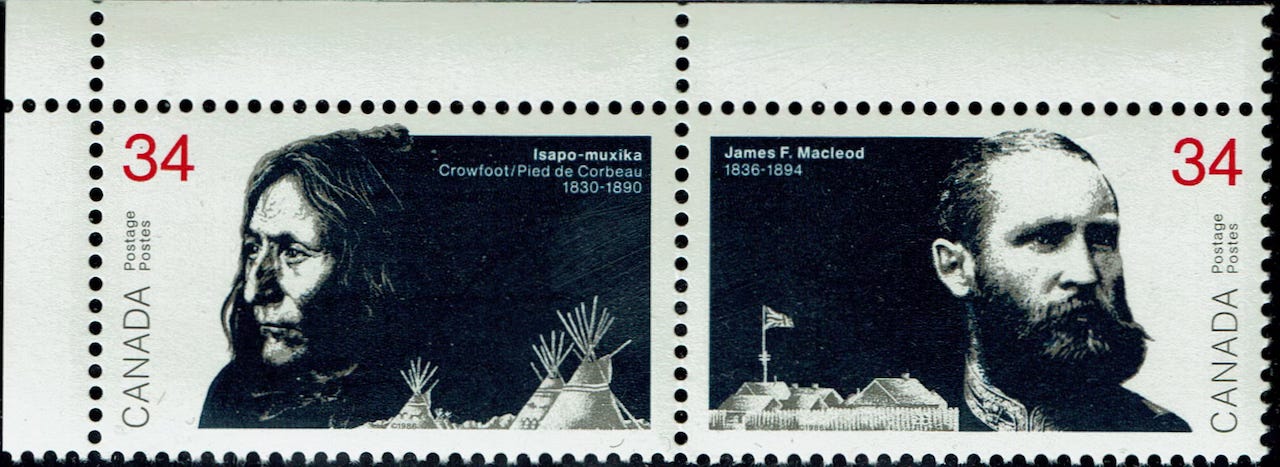
Issued to commemorate the two leaders — Chief Crowfoot (1830-1890) and James F Macleod (1836-1894) — credited with preventing war between Canada and the Blackfoot during the 1870s. For most of the last century, there was a federal riding named Macleod stretching from Calgary’s southwest corner to the Rockies. It’s now called Foothills. And we’ve just spent the summer watching the the riding of Battle River-Crowfoot, named in part after this famous chief of the Siksika Nation.
Is the content in the email any different than what I get on Bluesky? I think not. you are suggesting that I change a twenty year personal rule (with only one exception).
If I subscribe, I'll have to periodically go through and delete David's emails. Which means extra work for me.
Anything in my inbox gets mixed up with action items. I'll continue to get my news from Bluesky and FlipBoard.
David:
I've been following you for a lifetime. Whenever, I read your posting on Bluesky, I give it a like.
Interesting. Today / Sunday, there was only one tiny invite to subscribe.
The only newsletter that I follow is from my condo. So I get messages like "A package has arrived".
Today, I Googled "substack has two invitations to subscribe how can i limit it to one'
I suggest you actually use Good to enter the phrase, the result below has lost all formatting and links
AI Overview
To reduce multiple subscription invites on Substack, you must disable subscription links on your homepage and in individual posts, and edit your publication's welcome message to remove any calls to action for subscribing. While there is no single toggle to "limit" invites to one, these steps prevent the appearance of multiple prompts for new subscribers.
Modify your homepage and posts to remove subscription links
1. Remove subscription links: from your homepage by editing the theme settings on your Substack.
2. Customize your welcome message: to exclude any promotion of subscribing.
3. Post a final update: to your newsletter explaining your publication's status and removing any calls to action to subscribe.
Disabling subscriber requests
1. Go to your Settings page on your Substack.
2. Navigate to the Notifications section.
3. Turn off the toggle for "Subscription requests".
Consider archiving your content
• If you are trying to limit the number of subscribers to a specific topic or publication, you can archive the section that you do not want new readers to access.
Other options
• Sections: allow you to create different mailing lists for distinct topics, but this also increases the number of invitation prompts.
• Manually add subscribers: by going to the subscribers section and clicking the "add subscribers" button.
• You may consider creating a private Substack publication to control who can see your content and subscribe.
Keep up the good work
JV